Recording a course used to eat up several days of my time. This time I tried a completely different AI-assisted workflow, and the efficiency gain was a genuine step change.
My three-step AI workflow#
Step 1: structure first — write the outline. Everything starts with real thinking. With Gemini’s help, I worked out the course’s core logic first. The AI acted like an experienced editor, helping me catch gaps and tighten up the reasoning. The lesson here: don’t let AI do the thinking for you — let it sharpen the thinking you’ve already done.
Step 2: fill in the content — put together a full transcript. With the outline in hand, I turned my spoken notes and raw material into a full word-for-word transcript. This step is really the soul of the whole course — it’s what determines how substantial the final content actually is.
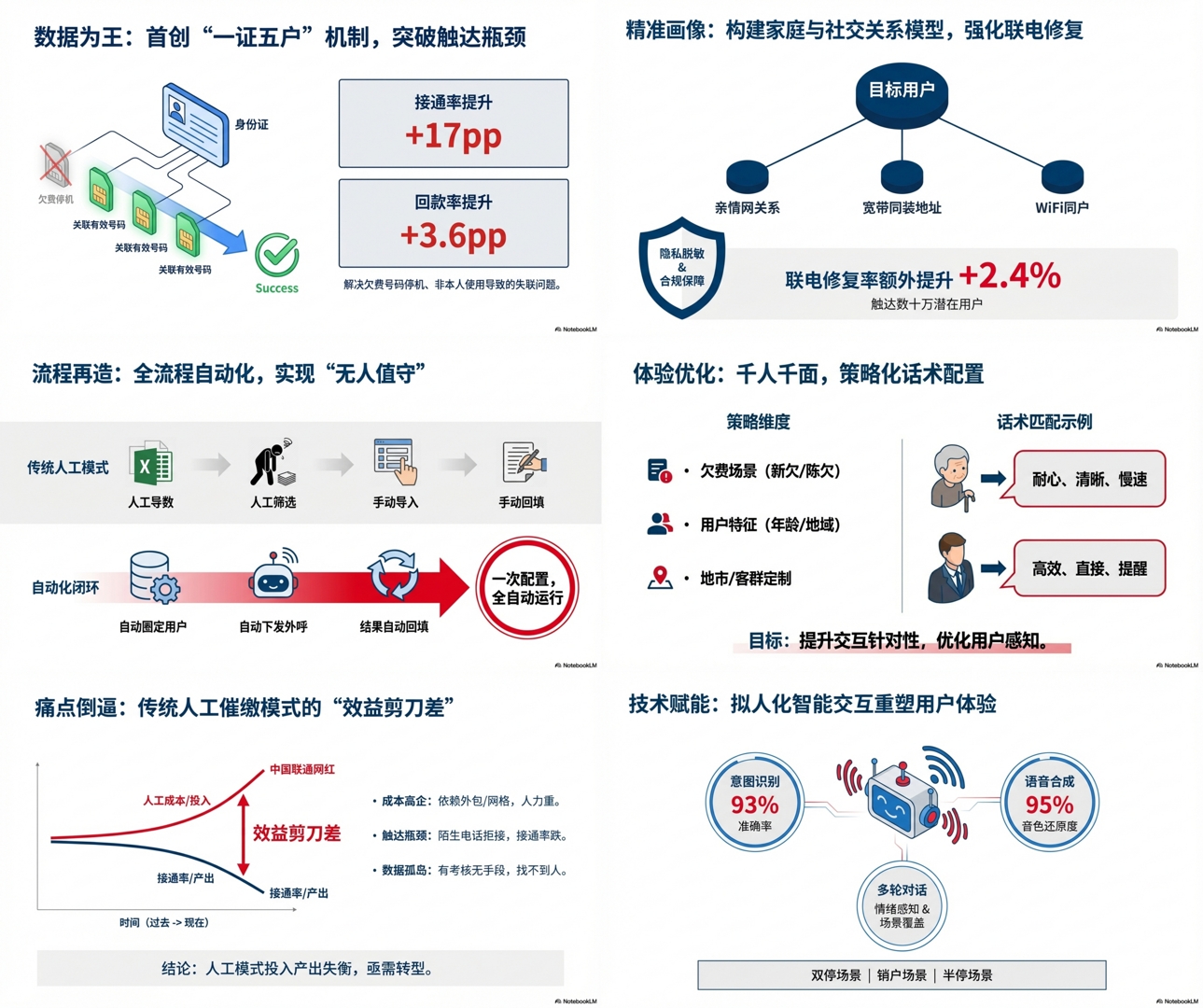
Step 3: the magic moment — deep processing in NotebookLM. This is the key step. I fed both the finished outline and the full transcript into NotebookLM. Using its very strong ability to understand long text, it quickly pulled out the core points for a slide deck automatically, and it was smart about it too — pulling the right quotes and examples straight from my own material, so the generated deck matched my original thinking closely enough that it barely needed a second pass.
The result: recording got a lot faster#
I already have a locally deployed voice-cloning setup, but it still gives itself away whenever Chinese and English get mixed together, so out of respect for the material, I recorded the course in my own voice. With a logically tight deck to guide me visually and a detailed transcript to lean on for the language, recording went smoothly — I barely stumbled at all.
What used to take a week to put together now takes a day or two.
Closing thought#
AI isn’t going to replace the person making the content. Treat it as a collaborator rather than a one-click generator, and constrain it with a solid outline first — the amount of value it can unlock is genuinely huge.