I came across an article comparing photo-management tools, and what caught my attention was how well Immich supported AI-powered features. Since it’s open-source and plugin-friendly, it’s relatively easy to pair with the AI capabilities available today. I finally got it deployed on my NAS over the weekend — but when I tried importing my back catalogue of photos from an external drive, every Chinese-language guide I found online was out of date and the import kept failing. I eventually found the answer in the official docs. By the time it started working, my NAS’s CPU was already pinned at 99% — it looked like the import wouldn’t finish until the following evening.
Here’s the process for a bulk import using Immich’s CLI:
1) SSH into the NAS and install the Immich CLI
sudo npm install -g @immich/cliIf that fails, it usually means the NAS’s bundled Node.js version is too old. You’ll need to install Node.js 20 from Synology’s Package Center — keep the existing 18.x install around too, or you’ll break Synology Drive, Synology Photos and similar apps that depend on it. Once Node is updated, re-running the install over SSH goes through cleanly.
2) Grab an Immich API token

On the Immich web UI (http://<nas-ip>:2283), click your avatar in the top right → Account Settings, then New API Key. Copy the token that’s shown — it’s only displayed once.
3) Start the bulk import
Log in from the NAS’s SSH session:
immich login-key http://<nas-ip>:2283/api <the token from step 2>If everything checks out you’ll see Wrote auth info to /root/.config/immich/auth.yml, meaning you’re authenticated and the credentials file has been written.

Then kick off the import itself:
immich upload --recursive /volume1/<your-photos-folder>The NAS’s CPU immediately jumps to 99% and photos start uploading in bulk:
Crawling for assets...
Checking files | ████████████████████████████████████████ | 100% | ETA: 0s | 237844/237844 assets
Found 237819 new files and 25 duplicates
Uploading assets | █░░░░░░░░░░░░░░░░░░░░░░░░░░░░░░░░░░░░░░░ | 1% | ETA: 07h30m | 7.9 GB/463.6 GB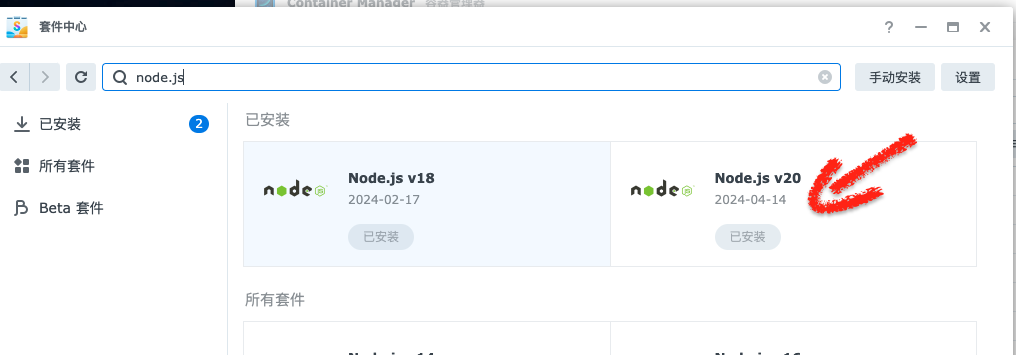

237,844 assets and 463.6 GB in total — this is going to take a while.
