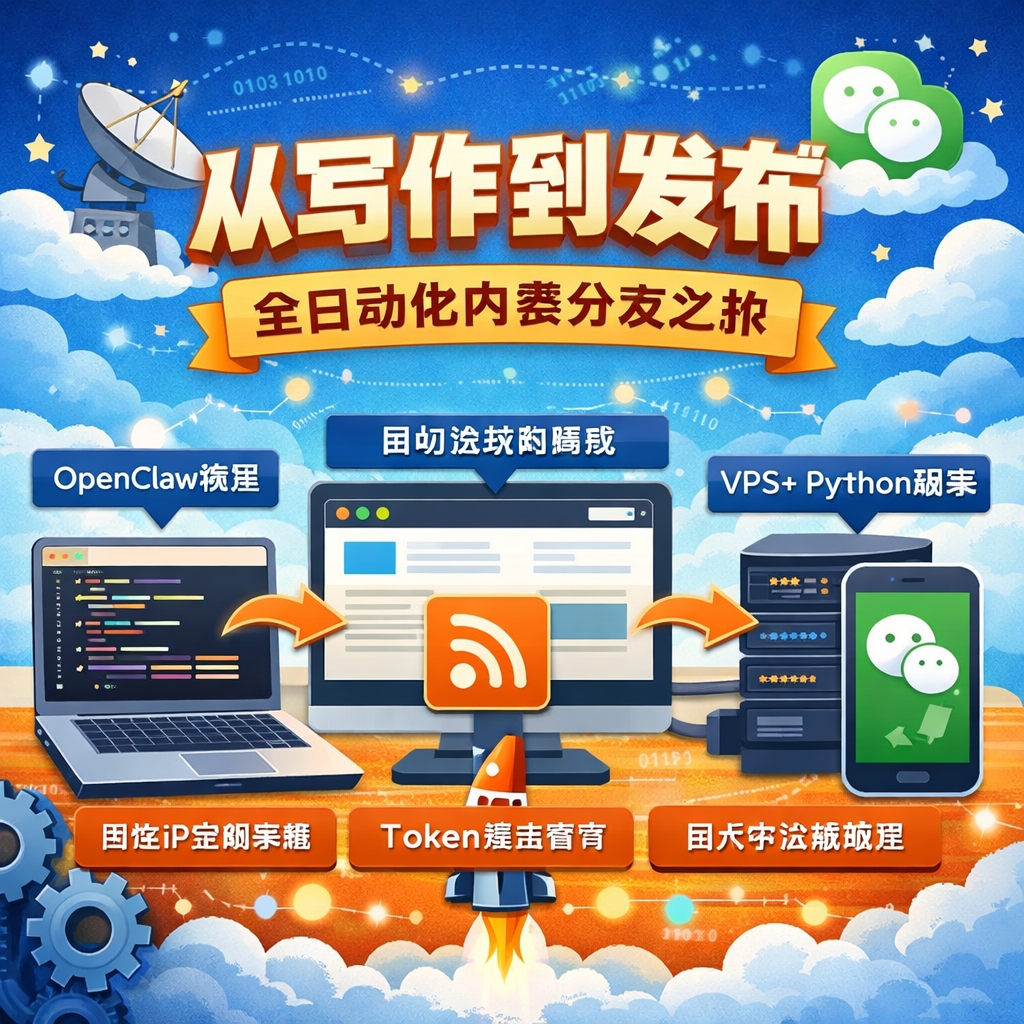
Over the past couple of days I finished wiring up a full pipeline: write the framework and core ideas for a post in OpenClaw → OpenClaw’s model polishes it into a finished article → it auto-publishes to the blog → RSS carries it over → it auto-syncs into my WeChat Official Account drafts.
No more copy-pasting, no more manual formatting, no more checking whether images broke. The whole thing, from editing to distribution, runs on its own. Here’s the full write-up.
1. The starting point: editing the blog directly from OpenClaw#
The core goal is simple: ideas show up whenever they show up, so jot down the core thought and hand it to OpenClaw — it reads your existing blog to understand your writing style, then turns the idea into a complete post. Writing becomes something you can do anytime, anywhere, with publishing handled automatically in the background.
I already had a blog with RSS output; what I needed was to turn OpenClaw into the writing front-end, the blog into the content source, and let a script handle distribution automatically. The shape of it: OpenClaw → Blog (generates the article) → RSS → a VPS script → WeChat Official Account. The blog only has to do two things: generate the article correctly, and output RSS correctly. RSS is the bridge between the two halves.
2. Building the “cloud data bridge”: a VPS plus Python#
My home connection has a dynamic IP, which isn’t stable or suitable for a long-term integration with the WeChat API. So I rented a VPS with a fixed public IP (costs next to nothing) to handle three jobs: periodically read the blog’s RSS feed, process the article body, and call the WeChat API to push a draft.
Setup on the VPS: install Python, create a virtual environment, and install the core libraries — feedparser for parsing RSS, requests for calling the WeChat API.
pip install feedparser requests3. Handling WeChat’s API auth (automatic token management)#
The WeChat API has two core constraints: the access token is only valid for 2 hours, and there’s a rate limit on calls. My fix was straightforward:
IP whitelisting — add the VPS’s public IP to the whitelist in the WeChat Official Account backend; otherwise every API call fails outright.
Automatic token refresh — I wrote a small token-management function: request a fresh access token roughly every 90 minutes, cache it locally, and just read from the cache whenever a call is made. Roughly:
def get_access_token():
    if token_not_expired:
        return cached_token
    else:
        request a new token from the WeChat API
        save it locally
        return the token
That keeps it from calling too often, never fails from an expired token, and runs completely hands-off.
4. The real pain point: WeChat’s image hotlink blocking#
This was the most frustrating part of the whole pipeline. Just handing the RSS’s raw HTML straight to WeChat? Every image comes out broken. The reason is simple: WeChat won’t reference external image URLs directly — everything has to go through its own official media API.
5. Routing images through as a “porter” script#
The full process: first, extract every image from the article HTML by matching the image tags with a regex and pulling out every image URL. Then, download each image straight into memory, without ever writing it to disk. Next, upload each one to WeChat’s permanent-media API, which returns a new WeChat-hosted image URL (WeChat’s own CDN address). Finally, go back through the article body and replace every original image URL with the new WeChat one — at that point, the article body is a “WeChat-ready” version.
6. Submitting to the Official Account drafts#
The last step: a POST request to WeChat’s draft API, submitting the title, author, cover image, and the rewritten HTML body. If it were a verified service account, this could go straight to the broadcast API instead — but my approach is to push to drafts first and review manually before publishing, which keeps things safe and under control.
7. What the finished pipeline looks like#
The flow now: write in OpenClaw → it auto-publishes to the blog → RSS updates automatically → the scheduled VPS script picks up the new post → images get routed through → it auto-pushes to the WeChat Official Account drafts. All of it unattended.
8. Why this actually matters#
This wasn’t really about writing a script. It’s that once publishing content stops eating up a meaningful chunk of your time, the barrier to publishing effectively disappears — which makes it that much easier to actually write down whatever thought crosses your mind, whenever it happens.