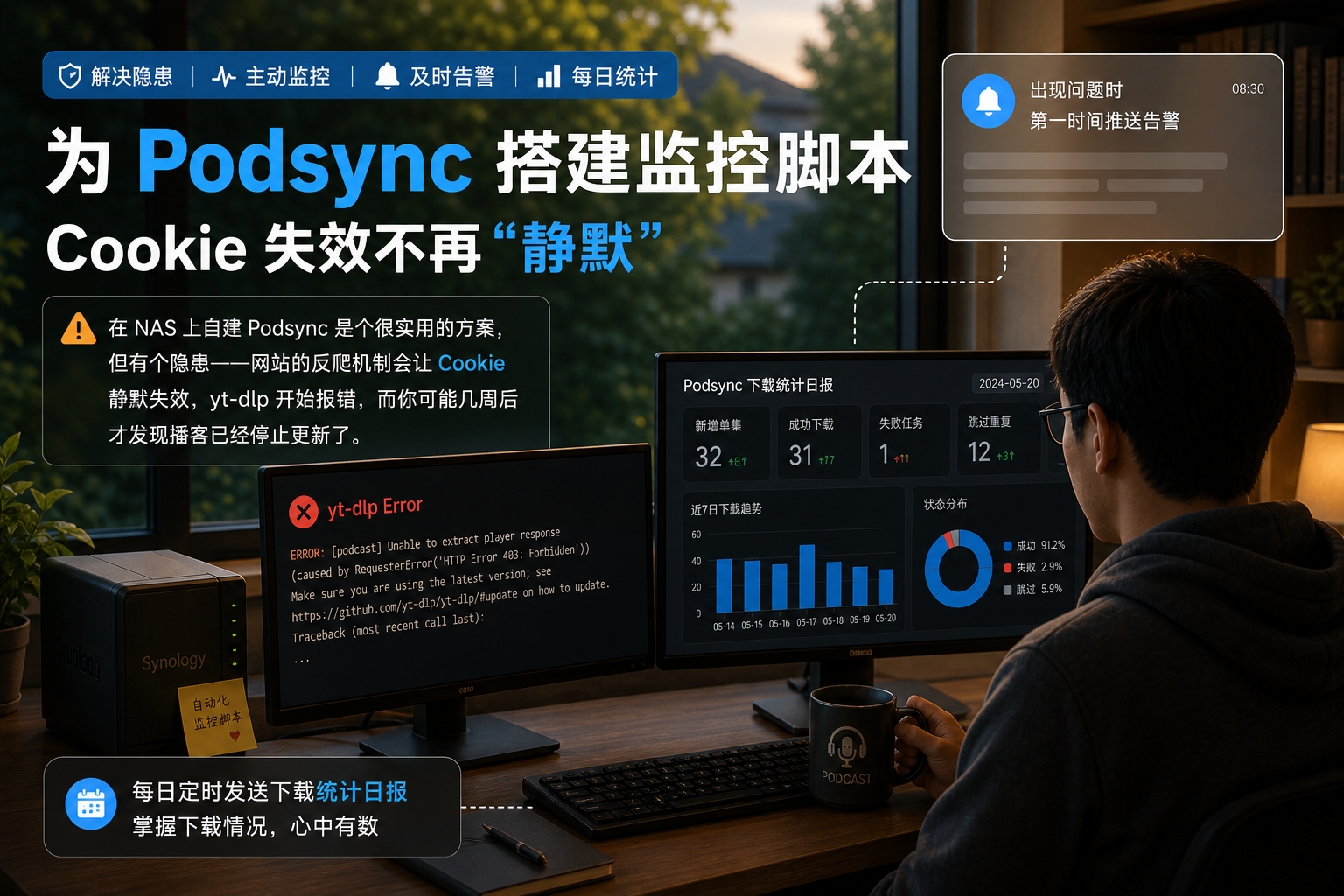
Self-hosting Podsync on a NAS is a genuinely useful setup, but it has one hidden risk: a site’s anti-scraping mechanism can silently invalidate your cookies, yt-dlp starts throwing errors, and you might not notice for weeks that the podcast has stopped updating.
This post documents setting up a simple monitoring script that pushes an alert through a messaging app the moment something goes wrong, plus a daily download-statistics report on a schedule.
Background: what can go wrong with Podsync#
After running for a while, the three most common errors that show up in the logs are:
Cookie expiration
The provided YouTube account cookies are no longer valid.
They have likely been rotated in the browser as a security measure.
Google automatically rotates session cookies during normal browser use, which invalidates a previously exported cookies.txt. Under normal conditions cookies last 1–3 months, but with frequent use they might expire in as little as 2–4 weeks.
Bot verification
ERROR: Sign in to confirm you're not a bot.Once cookies expire, yt-dlp has no login credentials left, and requests get rejected outright.
IP rate limiting
WARN: server responded with a 'Too Many Requests' errorThe NAS’s outbound IP gets rate-limited from making requests too frequently, and this triggers more easily when multiple Podsync containers are running at once.
All three of these fail silently — Podsync keeps running, the error shows up in the logs, but nothing actively notifies you, and the podcast just quietly stops updating.
Setting up the scheduled tasks#
Configured in Synology DSM: Control Panel → Task Scheduler → Create → Scheduled Task → User-defined script.
Anomaly check (every 10 minutes)
| Setting | Value |
|---|---|
| Task name | podsync-check |
| User | root |
| Frequency | Daily, repeating every 10 minutes |
| Script | /volume1/docker/podsync/podsync_monitor.sh check |
Morning report (08:00 China time)
| Setting | Value |
|---|---|
| Task name | podsync-report-morning |
| User | root |
| Run time | Daily at 08:00 |
| Script | /volume1/docker/podsync/podsync_monitor.sh report |
Evening report (19:00 China time)
| Setting | Value |
|---|---|
| Task name | podsync-report-evening |
| User | root |
| Run time | Daily at 19:00 |
| Script | /volume1/docker/podsync/podsync_monitor.sh report |
Sample alerts#
Anomaly alert (triggered by check):
⚠️ Podsync Alert
🕐 2026-05-05 14:32:10
🍪 podsync-a: cookies expired, need to re-export
🤖 podsync-a: YouTube bot verification failed
Daily report (triggered by report):
📊 Podsync Daily Report
🕐 2026-05-05 08:00:01
📅 Period: past 24 hours

📁 podsync-a
  ✅ Succeeded: 12 episodes
  ❌ Failed: 2 times
  🚫 Rate-limited: 1 time
🍪 Cookie expired: 0 timesWrap-up#
The core idea behind this monitoring setup is simple: periodically scan the logs for known error keywords, push a notification the moment something’s wrong, and separately tally download stats each day as a health check.
With this script in place, cookie expiration and rate-limiting issues get flagged within 10 minutes, instead of only being discovered after noticing the podcast had already stopped updating.