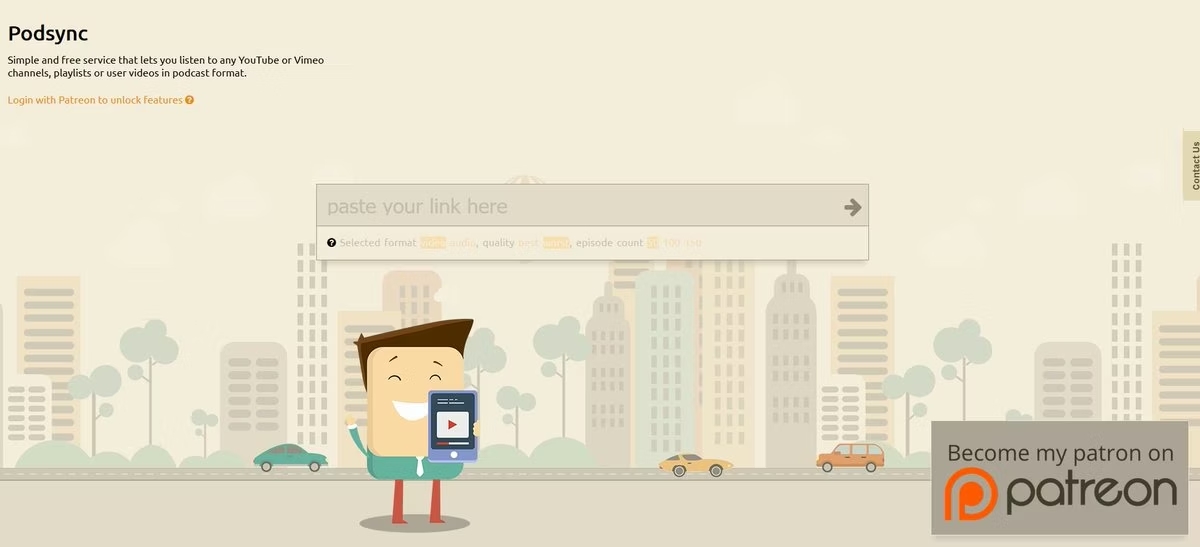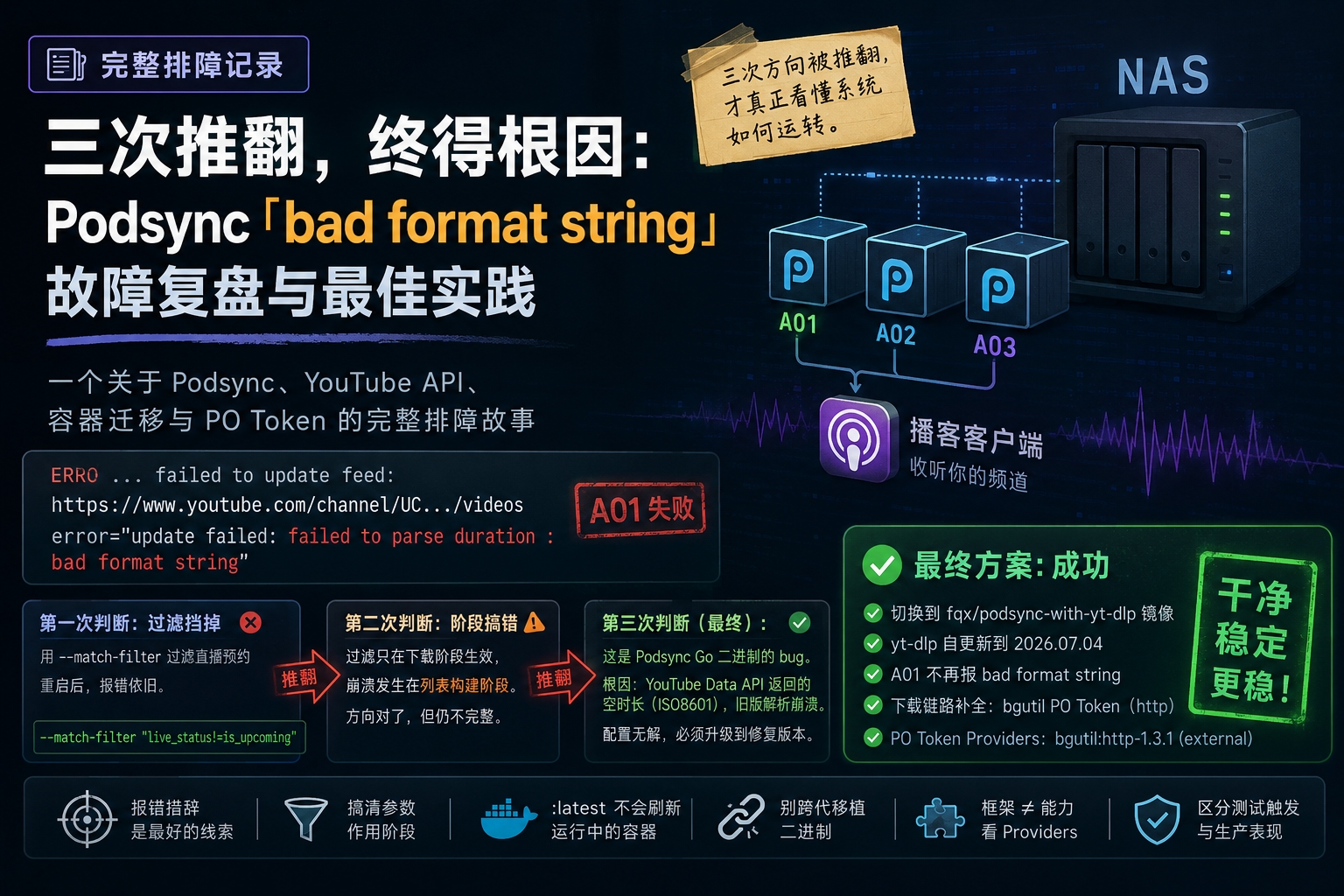
Three podsync containers run on my home NAS, converting a channel into podcast audio for my podcast client. Normally this setup is close to maintenance-free — until one day the logs started repeatedly showing the same error. This is the full troubleshooting record — worth writing down because the investigation went through three wrong turns, and each wrong turn taught me more about how the system actually works than getting it right on the first guess would have.
I. The symptom#
In the logs, one specific feed failed on every update cycle, while the others were fine:
ERRO ... failed to update feed: https://www.youtube.com/channel/UC.../videos
     error="update failed: failed to parse duration : bad format string"
Notice the value after “duration” in the error is empty. And it only affected feed A01 — A02 and A03 kept downloading normally, which tells you Podsync updates feeds one at a time, so one failing doesn’t drag down the others. The actual damage was small, but this error kept recurring, and as long as the trigger condition was present, it wasn’t going to fix itself.
II. Tracking it down: three wrong turns#
First guess: add a filter to block it — failed.
My first instinct was: there’s probably an “upcoming premiere/livestream” video at the top of the list with no duration, and it’s breaking the parser. So I added a yt-dlp match-filter to exclude that kind of video:
youtube_dl_args = [..., "--match-filter", "live_status!=is_upcoming"]After restarting, the error was still there.
Second guess: the filter was applied at the wrong stage — partly right, but still incomplete.
Checking the docs, I understood: youtube_dl_args only gets passed to yt-dlp at the download stage, but the crash was happening earlier, during list construction. The filter was applied on the download side, and couldn’t reach the parsing that happens on the list side — so naturally it did nothing. Similarly, Podsync’s own built-in filters (title, duration filtering) also only run after parsing is complete, so they couldn’t block it either.
This step got the direction right, but at the time I still assumed the list was also pulled via yt-dlp. Only once I really understood the nature of the error did I land on the third and final diagnosis.
Third guess (final): this is a bug in Podsync’s Go binary — no config can fix it.
The key clue was the exact wording “bad format string” — it comes from how Podsync parses ISO8601 durations (the PT#H#M#S format) and errors out on an empty value. And ISO8601 durations are only ever returned by the YouTube Data API; the duration yt-dlp gives you is a floating-point number of seconds, in a completely different shape.
So the whole chain became clear: fetching the list = Podsync calling the YouTube Data API and parsing each video’s contentDetails.duration (ISO8601) one by one; downloading = yt-dlp (cookies / node / GetPOT all live on this side).
That channel had several long-pending scheduled premieres queued up (premiere times set for the next day), and for videos that haven’t gone live yet, the API returns an empty string for duration. Podsync’s older Go binary, hitting that empty value, threw “bad format string” directly and crashed the whole feed.
Conclusion: the crash lives inside Podsync’s Go code — no configuration-level filter can save it. One ironic bit of supporting evidence: both of the premiere titles that were tripping me up actually contained “XX minutes,” and I already had not_title = "XX minutes" configured specifically to exclude them — but the parsing crashed before the filter even got a chance to run.
I found the official issue #638 covering exactly this problem — closed, but with no linked upstream PR. The most reasonable read: the person who filed it (fqx, also the maintainer of the podsync-with-yt-dlp fork) fixed it in their own fork and closed the upstream issue, but the fix was never merged into the main branch. So upgrading the official image was very likely not going to help — the patch only exists in fqx’s fork.
III. The fix: switching to a build that tolerates an empty duration#
I confirmed I was running the official mxpv/podsync:latest image from three years ago (Docker Hub), and that the :latest tag doesn’t automatically refresh the Go binary inside an already-running container — yt-dlp stays current via self_update, but the Podsync binary itself was stuck on an old version. That explains why downloading kept working fine while parsing kept crashing: the download capability and the crash point were two entirely separate code paths.
A detour: trying to graft the new binary into the old image — failed.
My first idea was surgical: use a multi-stage build to COPY just fqx’s fixed Podsync binary into my current, downloading-just-fine old image, leaving everything else untouched:
FROM ghcr.io/fqx/podsync-with-yt-dlp:latest AS patched
FROM mxpv/podsync:latest
COPY --from=patched /app/podsync /app/podsync
It built successfully, but on startup:
exec /app/podsync: no such file or directoryThe file was definitely there. This “no such file or directory” is actually the classic misleading error on Linux for a missing dynamic library or loader — the gap between fqx’s binary (built against a 2024 environment) and the three-year-old image’s musl/libstdc++ versions was too wide, and the dependencies didn’t line up. Grafting a binary across base images from different eras just isn’t reliable.
The actual fix: use the fqx image as the runtime base.
Flipping it around — use the fqx image directly as the runtime instead of stuffing things into the old one. It comes with a working binary and matching environment out of the box, and Podsync’s self_update upgrades the bundled, slightly older yt-dlp to the latest version on startup automatically. Once the test container was up:
- the binary started normally (confirming the earlier issue really was a missing library);
- yt-dlp self-updated from 2024.05.27 to 2026.07.04 (exactly matching what it had before);
- A01 no longer threw “bad format string” and started building the feed normally.
Main problem solved. I then switched all three containers over to the fqx image one at a time.
One rule I had to stick to strictly: all three containers mount the same
/app/data, and Podsync’s badger database uses a single-writer lock, so the switch had to happen one container at a time — stop the old one first, then start the new one; at any given moment, only one Podsync process can touch a given data directory.
During the switch I hit one small snag: copying the existing node binary straight from the mounted volume threw “symbol not found,” because that node binary had been compiled against the old image’s libstdc++. The fix was running apk add --upgrade libstdc++ in the new container first to bring the library up to date, after which node loaded fine.
IV. An unexpected sequel: the PO Token had actually been empty the whole time#
After the migration, I wanted to confirm whether the download safeguard (GetPOT) was still in place — and the probing kept going sideways. Running yt-dlp by hand returned “executable not found,” because Podsync still uses the old name youtube-dl, and it’s not on the default PATH. Once I used the right name, I finally saw the key line:
[debug] [youtube] [pot] PO Token Providers: noneNote: Providers: none. There are two separate concepts here — Extractor Plugins: GetPOT only tells you the GetPOT framework itself is loaded, but the framework needs an actual provider behind it to actually produce a PO Token. All three containers showed none — meaning the framework was present, but with no provider, no PO Token was actually being generated.
Downloads had been working fine up to that point only because yt-dlp itself still had a fallback mechanism based on EJS, and YouTube hadn’t yet been strictly requiring a PO Token for these particular requests. It was “working, but not solidly.” Since I was fixing things anyway, I went ahead and set up the proper standard solution.
Filling the gap: the bgutil PO Token provider (HTTP mode)
The architecture: run a standalone bgutil provider container (an HTTP service on port 4416) that all three Podsync containers share.
- Start the provider container:
docker run --name bgutil-provider -d --restart unless-stopped --init \
-p 4416:4416 brainicism/bgutil-ytdlp-pot-provider:latest- Install the plugin side inside each Podsync container (the fqx image only ships the framework, not this provider’s plugin):
docker exec <container> python3 -m pip install -U bgutil-ytdlp-pot-provider- Append the provider address to each container’s yt-dlp config (all three Podsync containers sit on the default bridge network, so they reach the host-published port through the gateway address 172.17.0.1):
--extractor-args "youtubepot-bgutilhttp:base_url=http://172.17.0.1:4416"After restarting, all three containers consistently showed:
PO Token Providers: bgutil:http-1.3.1 (external)(The other two lines, script-node/script-deno showing “unavailable,” are expected — I only deployed HTTP mode, which is the officially preferred option anyway.)
One persistent gotcha: the pip-installed plugin and that config line both live inside the container, not on the mounted volume — so they disappear the moment the container gets rebuilt. So the whole set of steps — “upgrade libstdc++ + restore node + write the ejs/bgutil config + install the plugin” — needs to be baked into the container’s rebuild/init script, or it has to be redone from scratch every time.
V. Verification#
A01’s crash is genuinely fixed. The latest update cycles ran cleanly end to end: updating A01 → running cleaner → creating A01.xml → next update, with no more “bad format string.” Those “XX minute” premiere entries got quietly absorbed by fqx’s empty-duration handling and never entered the download queue — the result stayed just as clean.
The PO Token chain is genuinely working. All three containers show PO Token Providers: bgutil:http-1.3.1 (external) as available; debug output also confirms the plugin directory is recognized (Plugin directories: /usr/lib/python3.10/site-packages/yt_dlp_plugins).
A false alarm about 429s. During manual testing I ran into HTTP Error 429: Too Many Requests, and briefly thought I’d need to route traffic through WARP to change the exit IP. But looking back, that was me manually re-requesting the same video seven or eight times in a short window, forcing the rate limit — not normal behavior. Checking the actual run logs across all three feeds, there wasn’t a single 429 / “Sign in to confirm” / bot error — just real “successfully downloaded file” entries. So the normal, low-frequency schedule (every 3 hours) never triggers it at all, and WARP wasn’t needed — if anything, WARP’s exit IPs are shared Cloudflare ranges that are more likely to get flagged as bot traffic by YouTube, so it probably would have hurt rather than helped.
(Along the way I also spotted an unrelated playlistNotFound (404) in one container’s log — a source channel that had been deleted or had its ID changed — to be cleaned up separately.)
VI. Takeaways#
A few things worth carrying forward: the exact wording of an error is the best clue for locating a bug — “bad format string” plus an empty value pointed straight at ISO8601 parsing, which in turn pinned the problem down to the API list stage rather than the download stage, moving the whole investigation from yt-dlp to Podsync itself in one sentence. Understand exactly which stage each parameter applies to — youtube_dl_args only governs downloading, while list construction goes through the YouTube Data API; that mismatch was the root cause of my first failed attempt. Docker’s :latest tag doesn’t automatically refresh the binary inside an already-running container — yt-dlp staying current via self_update can mask the fact that the underlying Go binary is actually quite old; the two need to be considered separately. Don’t graft binaries across base images from different eras — “no such file or directory” is often really “missing library” in disguise; rather than stuffing a new binary into an old environment, it’s more reliable to just use the new environment as the base. A framework being loaded isn’t the same as a capability actually working — GetPOT being loaded doesn’t mean a PO Token is actually being generated; the real test is whether PO Token Providers lists an available provider. And distinguish “triggered by testing” from “real production behavior” — a 429 triggered by manual, high-frequency probing shouldn’t be treated as an everyday problem; confirm what’s actually happening in the real logs before deciding whether to change your exit path at all — often the best fix is doing nothing.
Final state: all three containers now run on the fqx image, yt-dlp at 2026.07.04, A01 no longer crashes, and downloads have a proper bgutil PO Token safety net — noticeably more solid than before the issue came up.
(Side note: working through this kind of problem, I noticed Claude clearly outperforming ChatGPT.)