I. Goal#
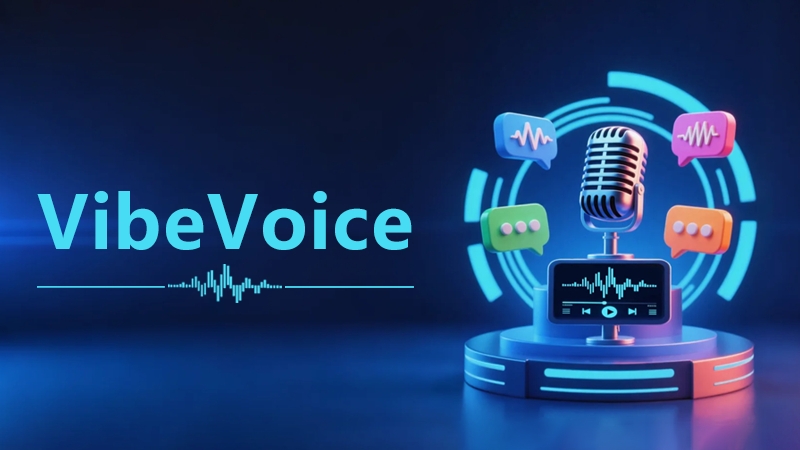
Set up and validate a speech-processing pipeline:
- audio → VibeVoice → auto-generated SRT
- text → VibeVoice → audio file (exploratory)
And evaluate its usability for:
- video subtitle generation
- multi-speaker identification
- Chinese/Portuguese speech generation quality
- eventually feeding into a video-generation pipeline (MoviePy)
II. Environment setup#
1️⃣ Base environment
- OS: Ubuntu (GPU server)
- Python: 3.9 (already installed)
- GPU: CUDA already configured
2️⃣ Create a virtual environment
python3 -m venv vibevoice-env
source vibevoice-env/bin/activate
III. Getting the code and installing#
1️⃣ Clone the project
git clone https://github.com/microsoft/VibeVoice.git
cd VibeVoice
2️⃣ A key snag (logged)
Running pip install -r requirements.txt failed, because the project manages dependencies via pyproject.toml (the newer convention).
3️⃣ The correct install method
pip install --upgrade pip
pip install -e .
Extra dependencies (to avoid missing packages):
pip install transformers accelerate librosa soundfileIV. Downloading the model (ASR)#
❗ A mistake (logged): typing Python code directly into bash failed — Python code got mistakenly run as a shell command.
✅ The correct way — run it inside Python:
from huggingface_hub import snapshot_download

snapshot_download(
    repo_id="microsoft/VibeVoice-ASR",
    local_dir="./models/asr"
)
V. Core capability one: audio → SRT (the main focus)#
✔ Final result: audio → VibeVoice → multi-speaker subtitles → SRT file
✔ Model used: microsoft/VibeVoice-ASR-HF (recommended). Supports long-form audio, speaker identification, and timestamps.
✔ Running the script:
python vibevoice_to_srt.py --audio test.wavOutput: test.srt
✔ Sample output:
1
00:00:00,000 --> 00:00:03,200
[Speaker 1] Hello everyone, welcome to the speech recognition system.

2
00:00:03,200 --> 00:00:06,800
[Speaker 2] Today we're testing multi-speaker subtitle functionality.
VI. Core capability two: text → speech (TTS)#
✔ Available option: using VibeVoice-Realtime-0.5B
Install:
pip install -e .[streamingtts]✔ Test method:
python demo/realtime_model_inference_from_file.py \
  --model_path microsoft/VibeVoice-Realtime-0.5B \
  --txt_path demo/text_examples/test.txt \
  --speaker_name Carter
VII. Multi-language test results (the key finding)#
🇵🇹 European Portuguese: ✅ can produce speech, but ⚠️ mediocre pronunciation, ⚠️ not very natural.
🇨🇳 Chinese: ✅ can read it, but ❌ not natural, ❌ has an accent, ❌ not suitable for video voiceover.
VIII. Summary of key issues#
| Issue | Cause |
|---|---|
No requirements.txt | Uses pyproject.toml instead |
| Python code errored | Was run in bash |
| Chinese speech is poor | Not a primary supported language |
| TTS incomplete | Official limitation |
IX. Capability assessment (important)#
✔ ASR capability (strongly recommended)
| Capability | Rating |
|---|---|
| Long-form audio | ⭐⭐⭐⭐⭐ |
| Multi-speaker | ⭐⭐⭐⭐⭐ |
| Timestamps | ⭐⭐⭐⭐⭐ |
| Subtitle generation | ⭐⭐⭐⭐⭐ |
👉 Ready to use directly in production (a subtitling system)
❌ TTS capability (not recommended right now)
| Capability | Rating |
|---|---|
| English | ⭐⭐⭐ |
| Chinese | ⭐ |
| Portuguese | ⭐⭐ |
| Stability | ⭐⭐ |
X. Final tech-stack decision#
Recommended architecture:
Markdown
   ↓
Text generation (LLM / Ollama)
   ↓
TTS (Spark-TTS / Azure)
   ↓
Audio
   ↓
VibeVoice (ASR)
   ↓
SRT subtitles
   ↓
MoviePy
   ↓
Video
XI. Next steps (planning)#
1️⃣ Automated subtitle system: audio → SRT (multi-speaker). Useful for video subtitles, meeting notes, podcast transcription.
2️⃣ AI video generation system: Markdown → speech → subtitles → video
3️⃣ AI podcast generation: topic → LLM → dialogue → speech → video
4️⃣ Multi-language content production: Chinese → translation → English/Portuguese → voiceover
XII. Where things stand#
In one line: right now VibeVoice’s real value is in ASR (subtitle generation), not TTS (speech generation).